From script to shot.
One workspace for AI filmmakers. Keep your cast, your look and your story consistent, then send every shot to the video model ready to generate.
Your script runs everything.
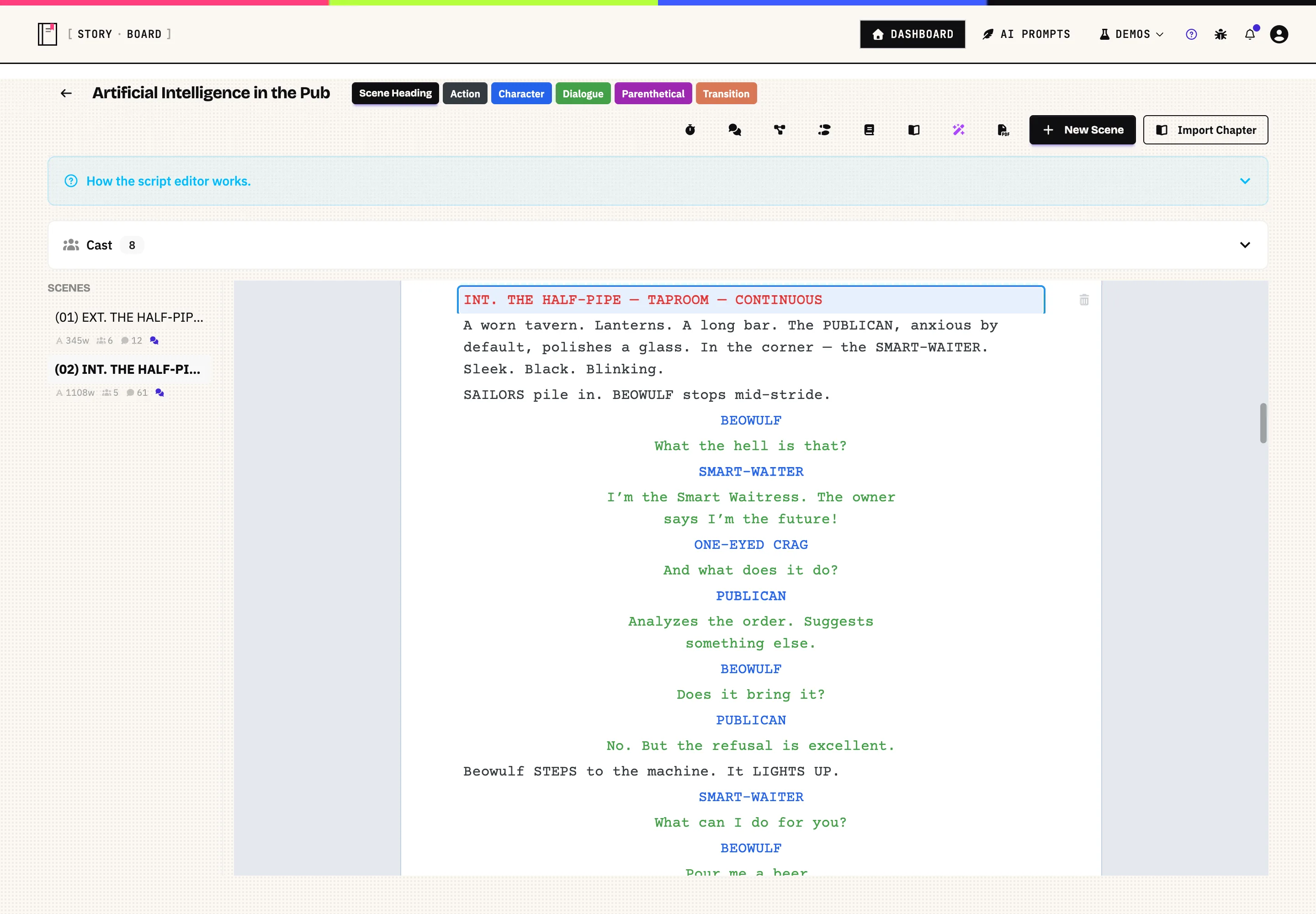
Write in the screenplay editor or paste in your existing script. AI splits it into chapters, scenes, characters and dialogue.
A co-writer that knows your story.
Work scene by scene with an AI that reads your project, and a Story Bible that keeps track of what you've built.
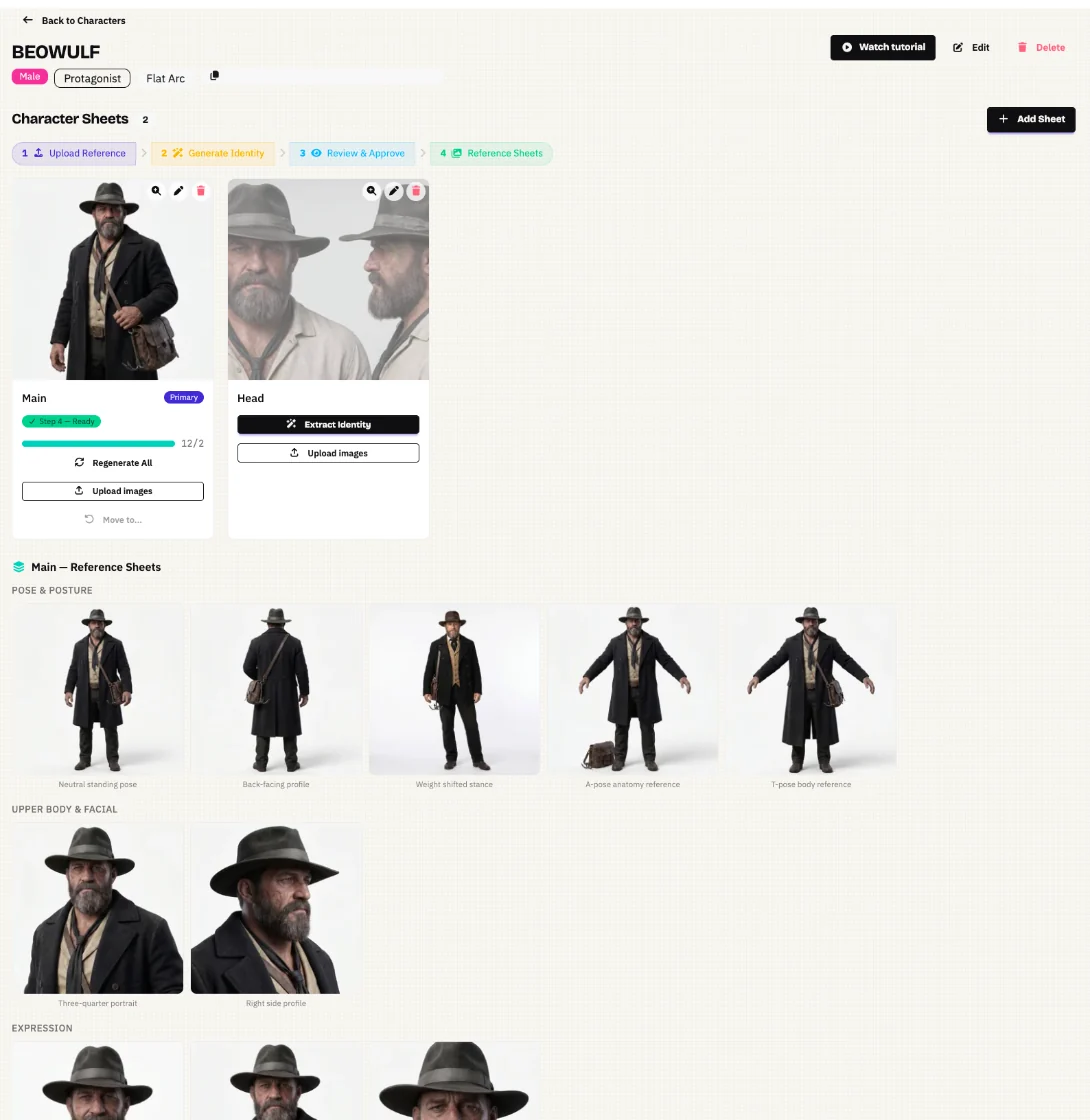
One face, the whole film.
Multi-angle sheets for characters, locations and props, plus a locked look and a voice for every character.
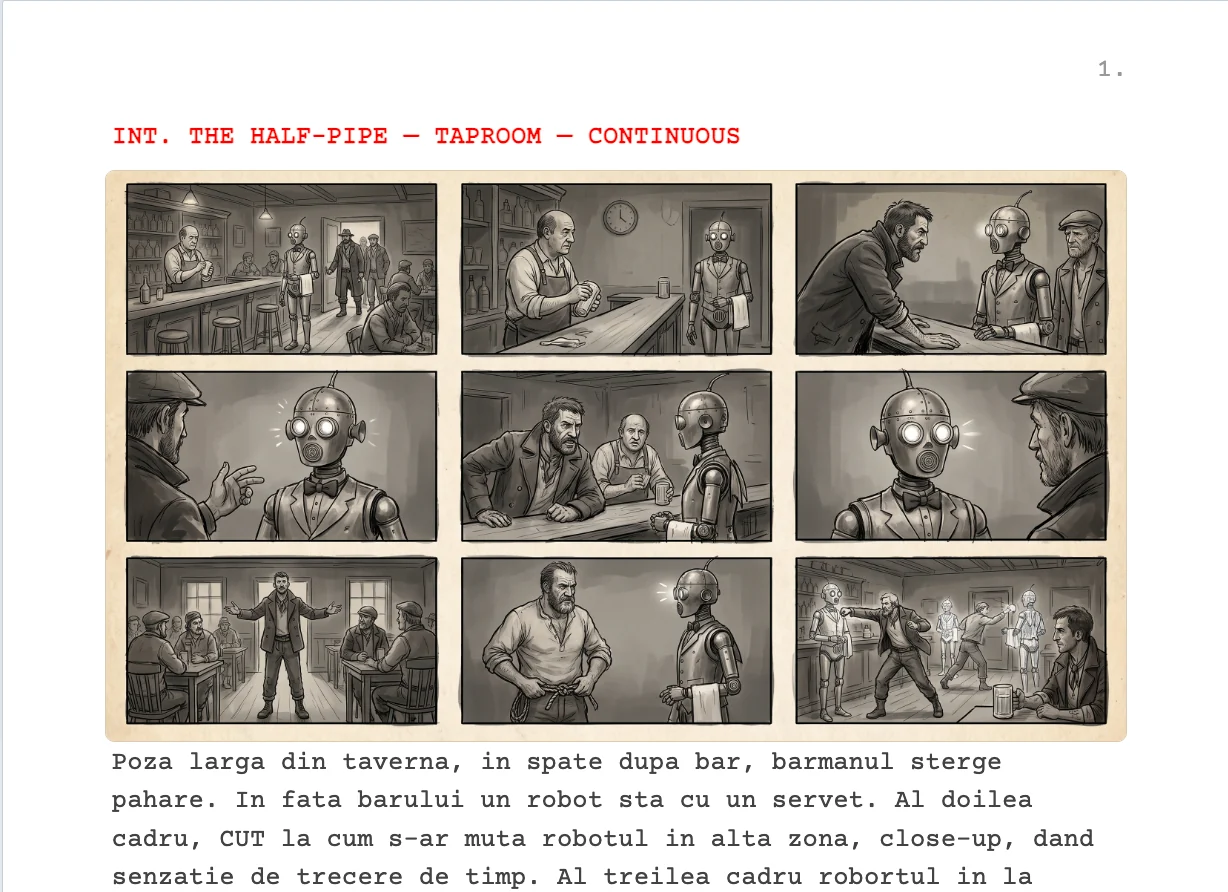
Storyboards from your scenes.
Your reference sheets feed every frame, so the storyboard is built from the same cast and world.
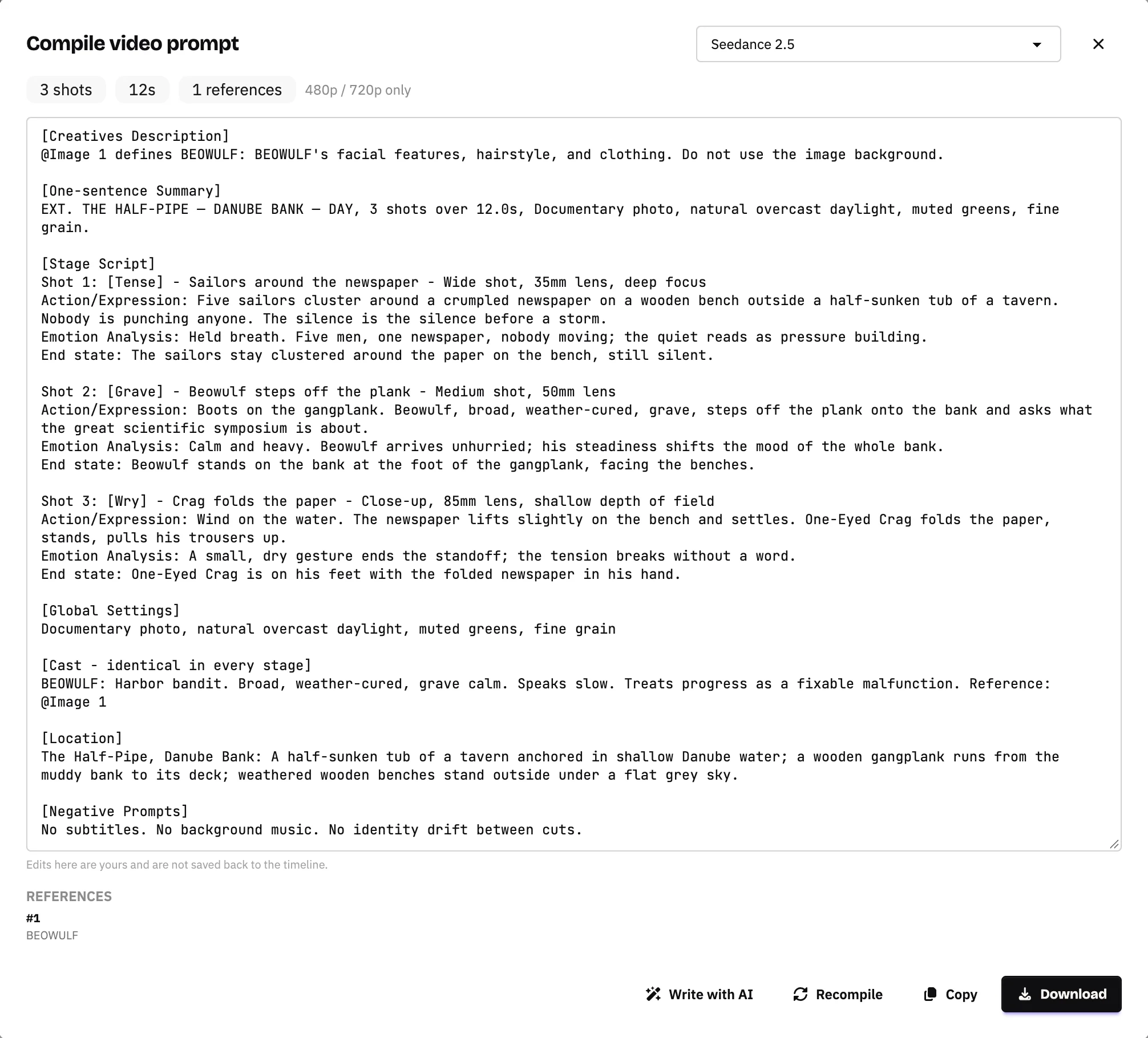
Ready for the video model.
The timeline compiles shots, references and direction into prompts formatted for Seedance 2.0 and 2.5.
Eight AI subscriptions. Three versions of your protagonist.
Image, video, voice and writing tools don't know about each other. StoryBoard gives them one project, one cast and one source of truth.
Everything between the script and the shoot.
Lock your film's look
Set style, camera, lens, color and grade once. It's added to every image you generate.
Camera-first blocking
Place actors and cameras on a top-down stage. Your cameras become shots on the timeline.
Animatic preview
Play a scene shot by shot, with script, blocking, cast, image and audio together.
Digital prompt book
Numbered moves, lighting and sound cues on the script, and printable PDFs.
Works with your AI
Connect Claude, Claude Code or Cursor and work on scenes, characters and sheets in conversation.
Invite per project
Add viewers or editors to one project and discuss the script scene by scene.
Your prompts, editable
See and customize the prompts behind the AI, for your whole team.
Bring your own images
No AI key? Upload your own reference sheets and shot images instead.
You pay the providers. Not us.
Common questions.
Does StoryBoard generate the video?
Not inside the app today. It prepares each shot and compiles a prompt formatted for Seedance 2.0 or 2.5, which you run in your video tool.
Can anyone sign up?
Yes. We're in beta and open to everyone, so expect things to keep changing quickly.
Which API keys do I need?
kie.ai for images, OpenAI for text and ElevenLabs for voice. Add only the ones you use, and upload your own images without any key.
Who is it for?
Indie filmmakers and AI creators working from a script, and theatre makers who need blocking and a prompt book.
Still free.
Bring your own API keys and pay providers directly, with no markup.
Start free